Responsible for sending system update communications to the whole company.
Wants full control over what goes out, and a workflow they can rely on.

IT admins had no trusted way to reach employees inside Microsoft 365. Working with three PMs, I led the 0-to-1 design of Organizational Messages, a feature now used by 10,000+ organizations.
IT admins had no trusted way to reach employees inside Microsoft 365, so important updates were getting missed.
Working with three PMs, I led the 0-to-1 design: the information architecture, the creation flow, management dashboards, reporting, and usability testing.
Teams posts and email were easy to miss and hard to target, so onboarding tips and policy changes often went unread.
Help admins create, send, and track company-wide messages without worrying about getting it wrong?
Responsible for sending system update communications to the whole company.
Wants full control over what goes out, and a workflow they can rely on.
Double-checks every setting to avoid mistakes.
Needs to know messages reach the right people.
The work is repetitive and mostly done alone, and mistakes are seen by everyone.
We audited five competing tools and interviewed stakeholders. An admin’s work breaks into four steps.
Tailor content, layout, and targeting by department, role, or region.
Preview, then deliver at the right time, including recurring messages.
View, edit, pause, or cancel a message at any point in its life.
See delivery and engagement, and spot problems fast.
We had a tight timeline, unclear scope, complicated permission rules, and a team that had just formed.
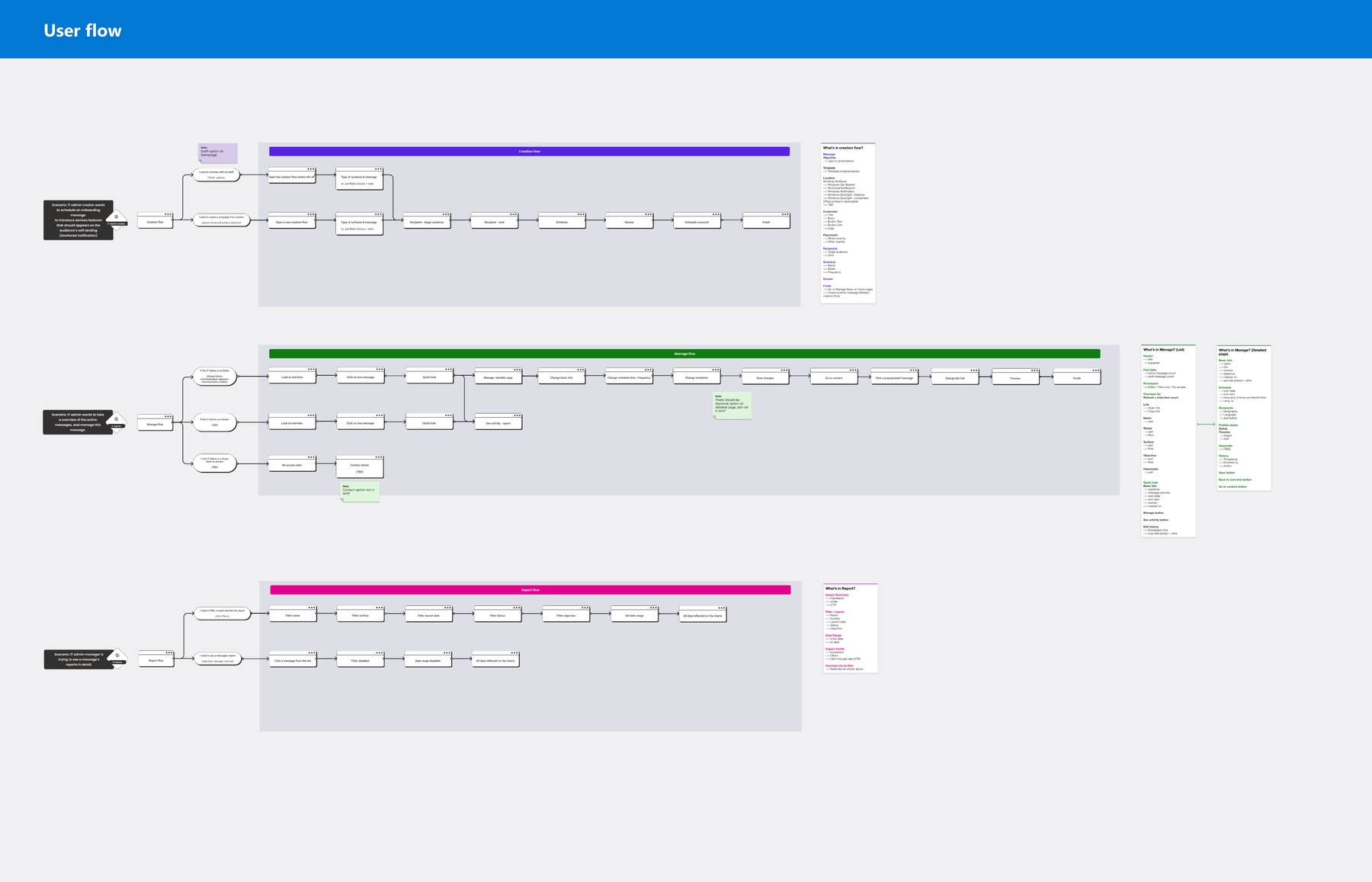
I mapped the IA and user flows for creation, management, and reporting, then ran a workshop to pin down scope.
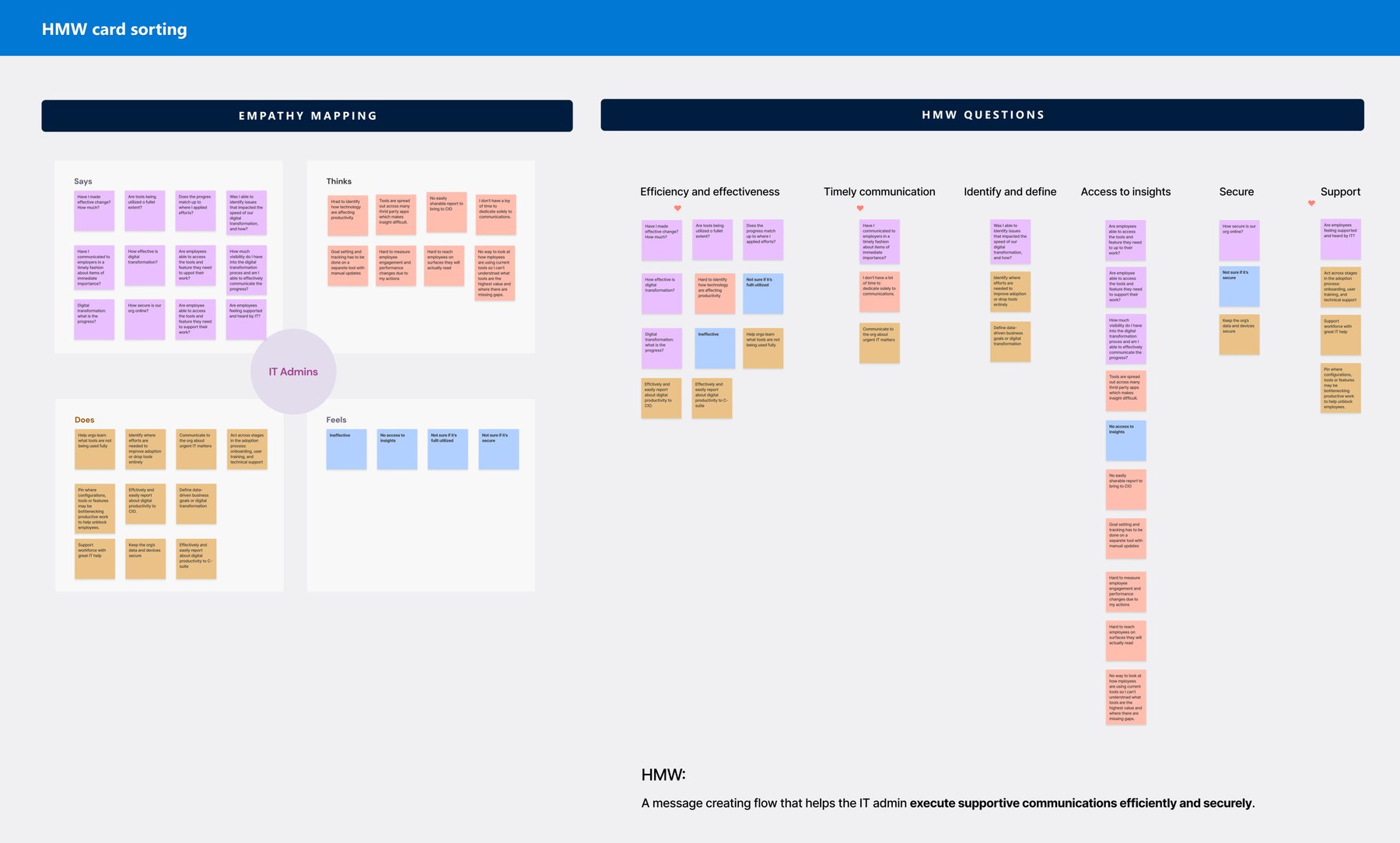
I worked across PMs, content, and engineering to decide what to cut so the first release stayed simple.
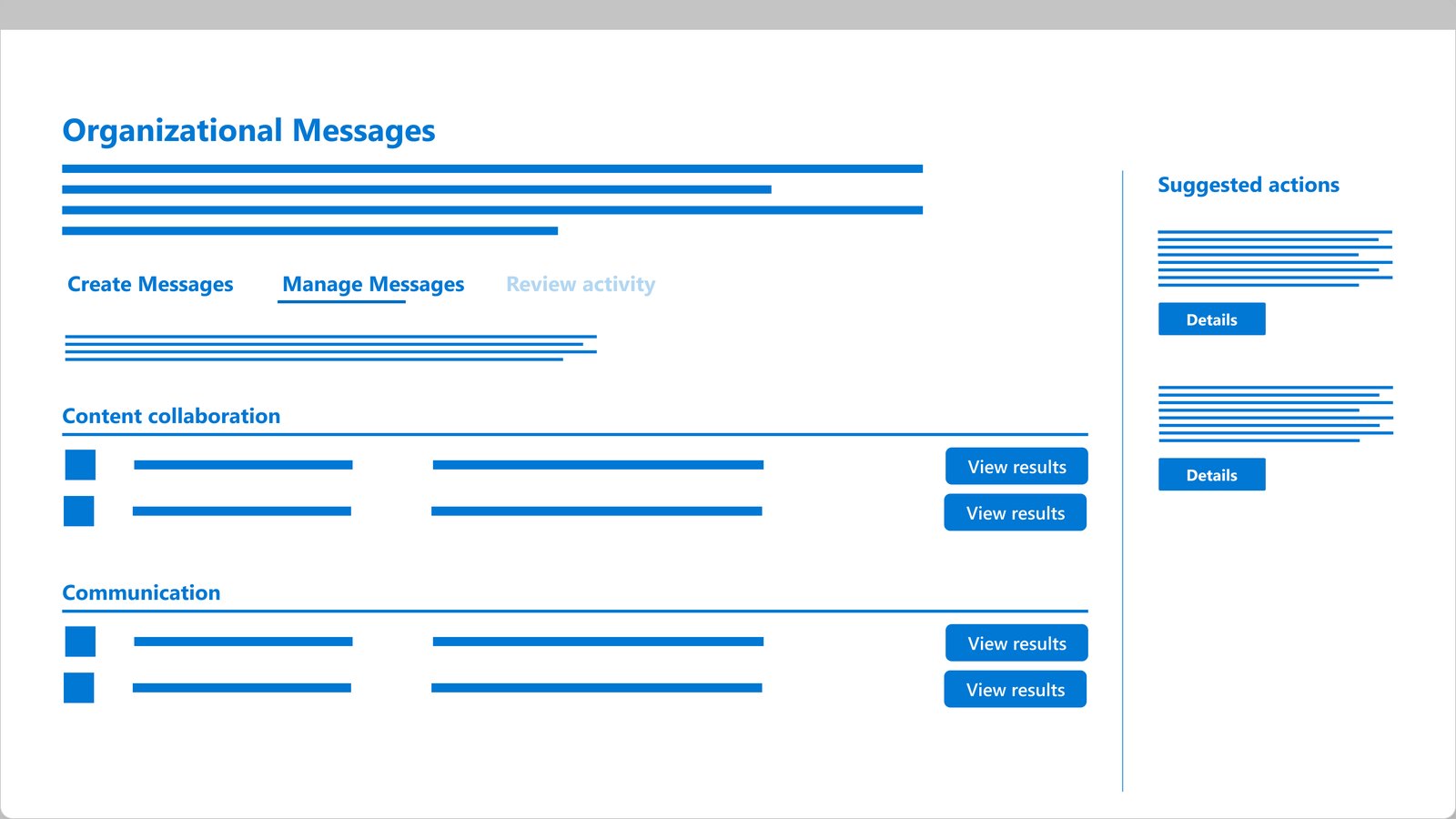
Beyond UX, I covered content design, visual design, research, and edge-case QA so the MVP could ship on time.
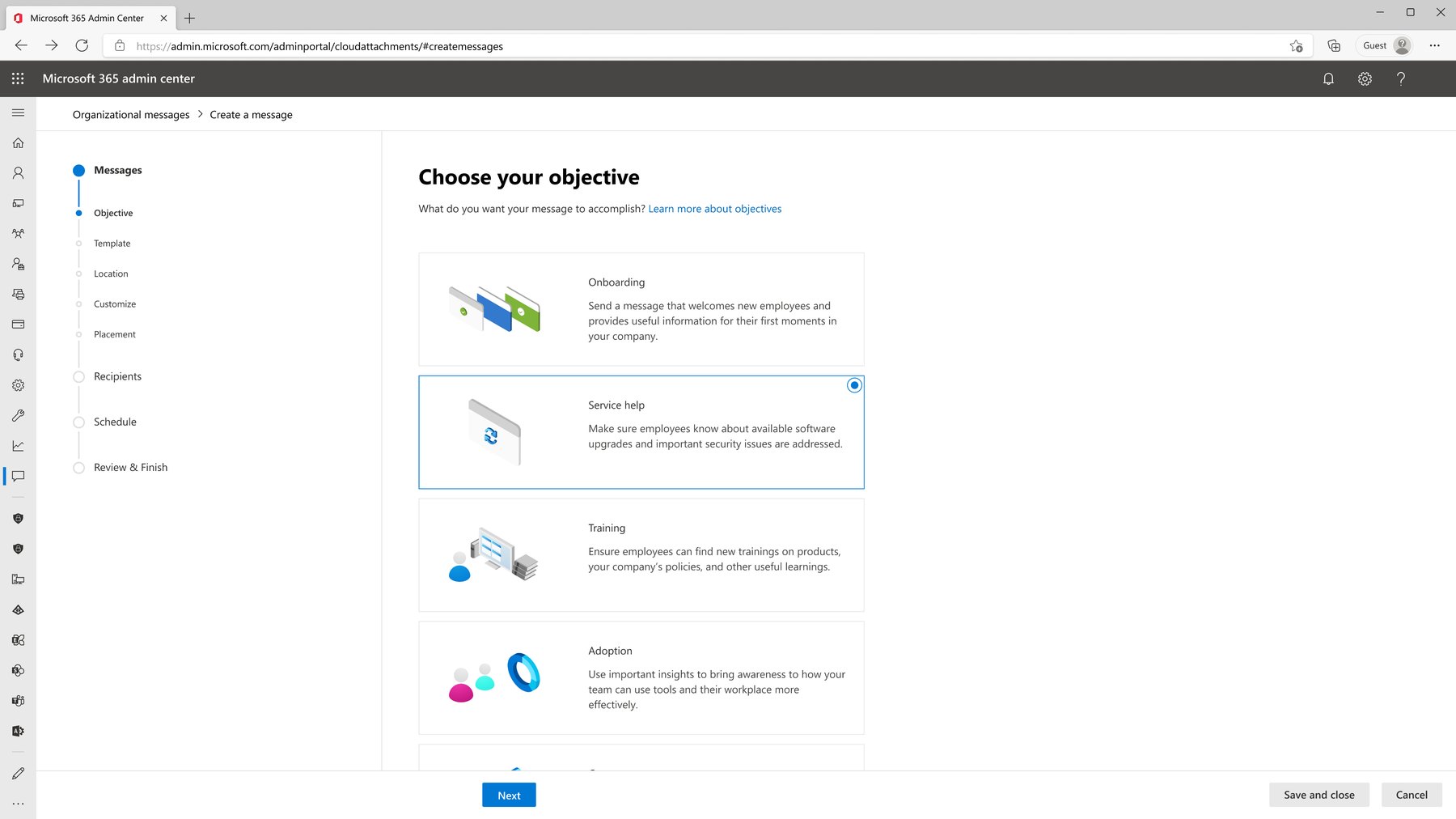
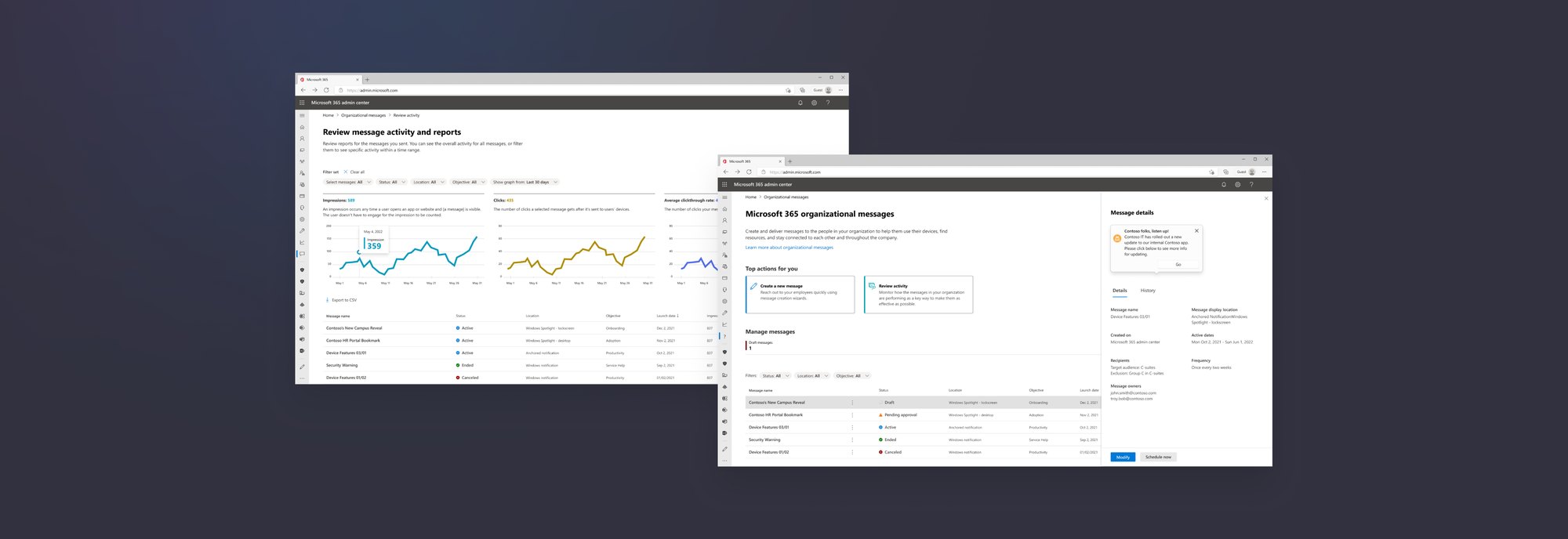
Admins pick an objective, then see exactly where the message will appear across Microsoft 365 while they set content and audience.
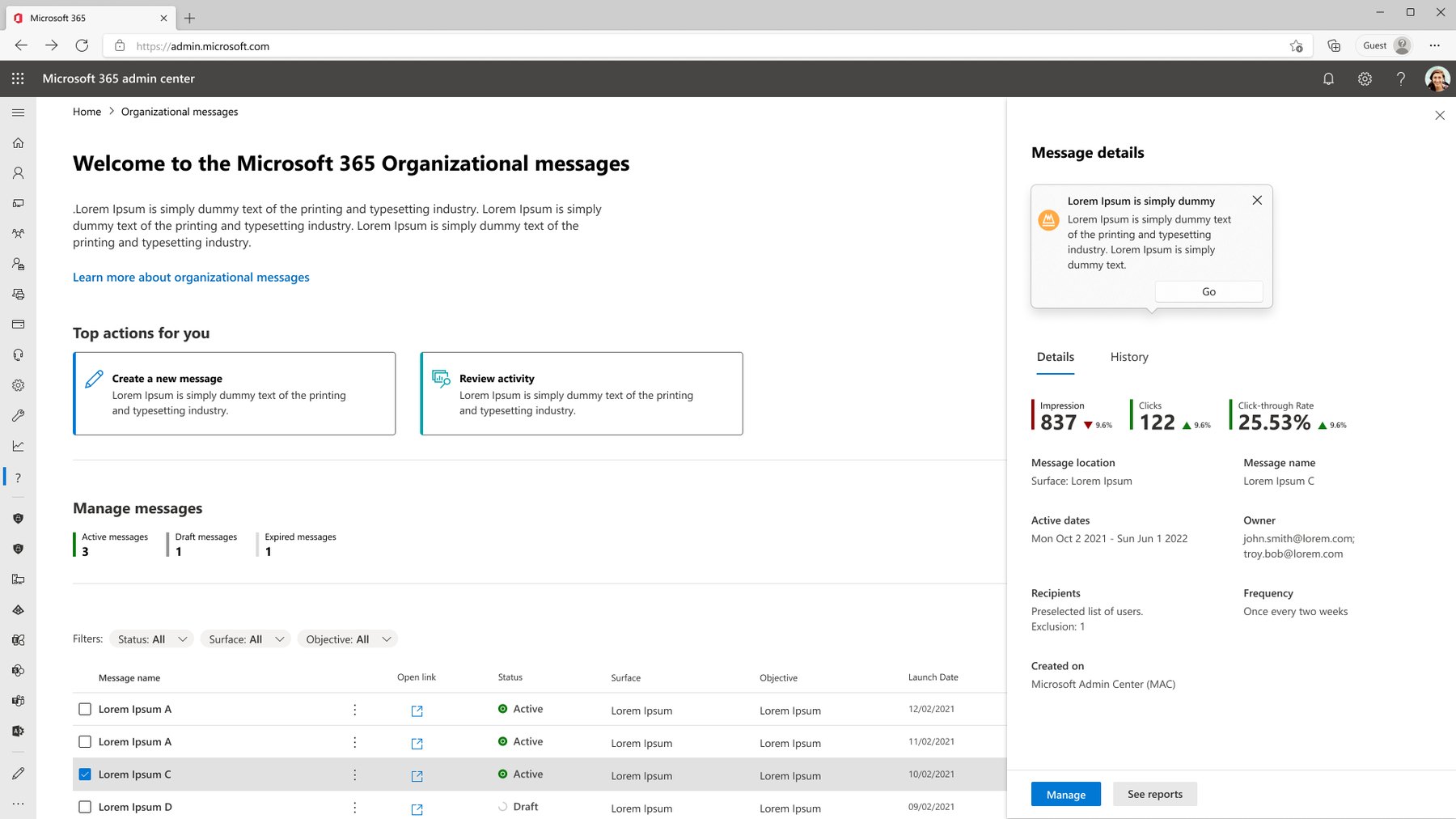
Management and tracking live together, with a details panel so admins can double-check before anything goes out.
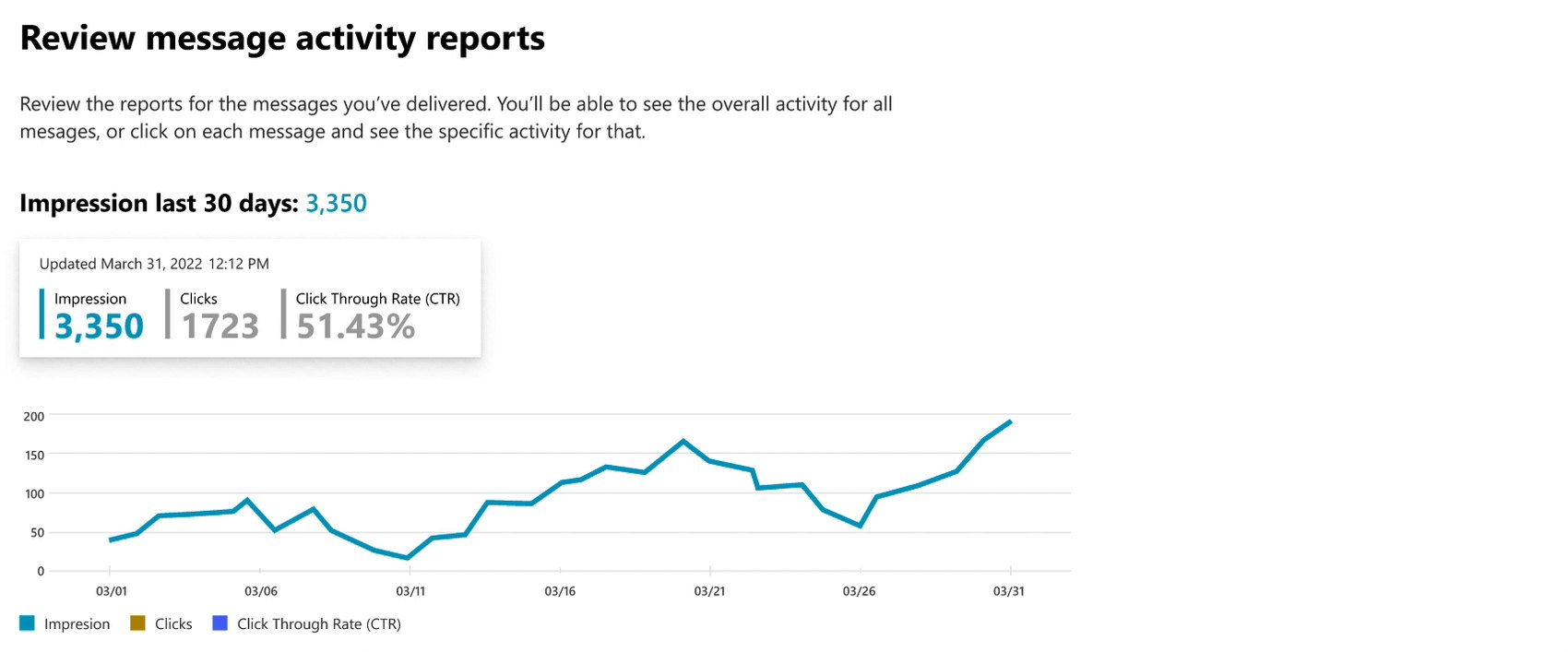
Interactive charts for impressions, clicks, and click-through help admins spot delivery issues and trace them to a message.
I wrote the test script with a UX researcher and ran semi-structured video interviews with five internal users. 4 of 5 rated the interface highly intuitive, and their feedback drove five changes.
She worked closely with PMs and devs to translate their requirements into high quality designs. She was inclusive, listening to their POV and feedback, and incorporating it into her work. While doing this she was very mindful of our design system and applied it with a detailed eye.
 Aaron WooPrincipal Product Design Director, Microsoft
She has experience in wrangling nebulous projects and keeping them on-track. Partners appreciate her ability to communicate about designs in ways that they understand and can interact with.
 Carrie CosgroveSenior Product Designer, Microsoft
Timing was never perfect and we never had everything we needed, so I worked with what we had.
When scope was unclear, I ran a workshop and sketched the flows so the team had something concrete to discuss.
Admins want to reach everyone, but employees don’t want more noise, so the design had to respect both.