Microsoft Places: space management for whole buildings
Workplace admins managed hundreds of desks, rooms, and policies across buildings with spreadsheets and disconnected tools. I co-led the UX for V1.0 of space management, designed to work with Copilot from the start.
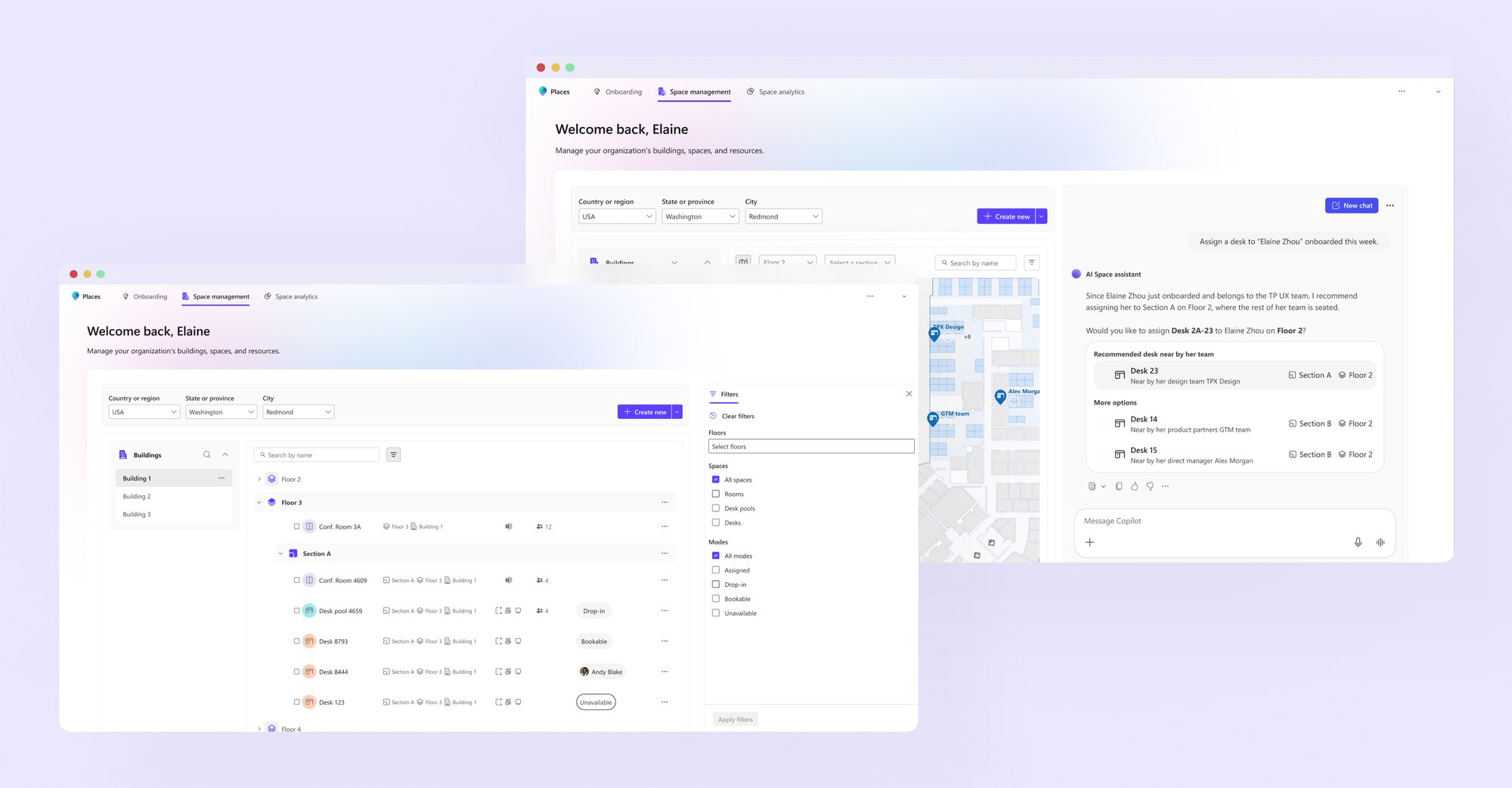
Workplace admins managed hundreds of desks, rooms, and policies across buildings with spreadsheets and disconnected tools.
I co-led the V1.0 UX of space management with another designer. My part: the space directory, the create and edit flows, bulk editing, and early Copilot concepts.
Admins were stuck with spreadsheets
Each building has floors, zones, rooms, and desks, and each of those has its own policies. The existing tools couldn’t handle that many at once.
Help admins manage hundreds of spaces at once, and feel safe hitting “save”?
Three hard problems
Scale
Let admins search and update hundreds of spaces at once, without the page getting slow or confusing.
Spatial complexity
Show buildings, floors, zones, rooms, and desks as a hierarchy admins can find their way around.
High-stakes settings
Make policies like auto-release timers and team-based access easy to understand and safe to change.
Mapping it out before designing screens
- 01Map the workflowWith PMs, end to endEvery step from selecting spaces to saving changes
- 02Visualize the directoryTried several layoutsA structure that mirrors real buildings, so admins don’t get lost
- 03Prep for CopilotPrompts like “Assign Zone A to Marketing”How a prompt turns into a suggestion the admin approves
Three design moves
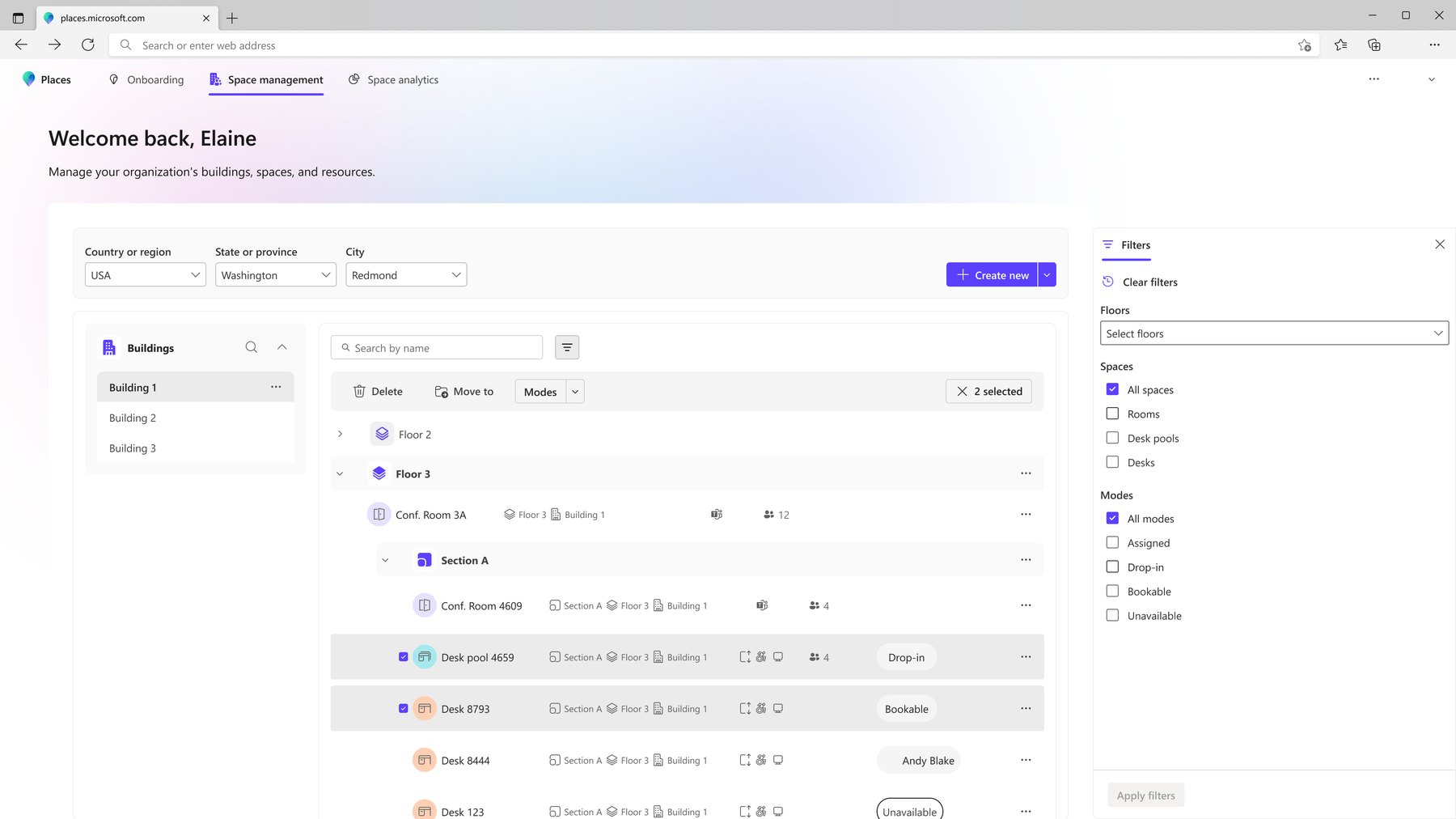
A directory admins can read at a glance
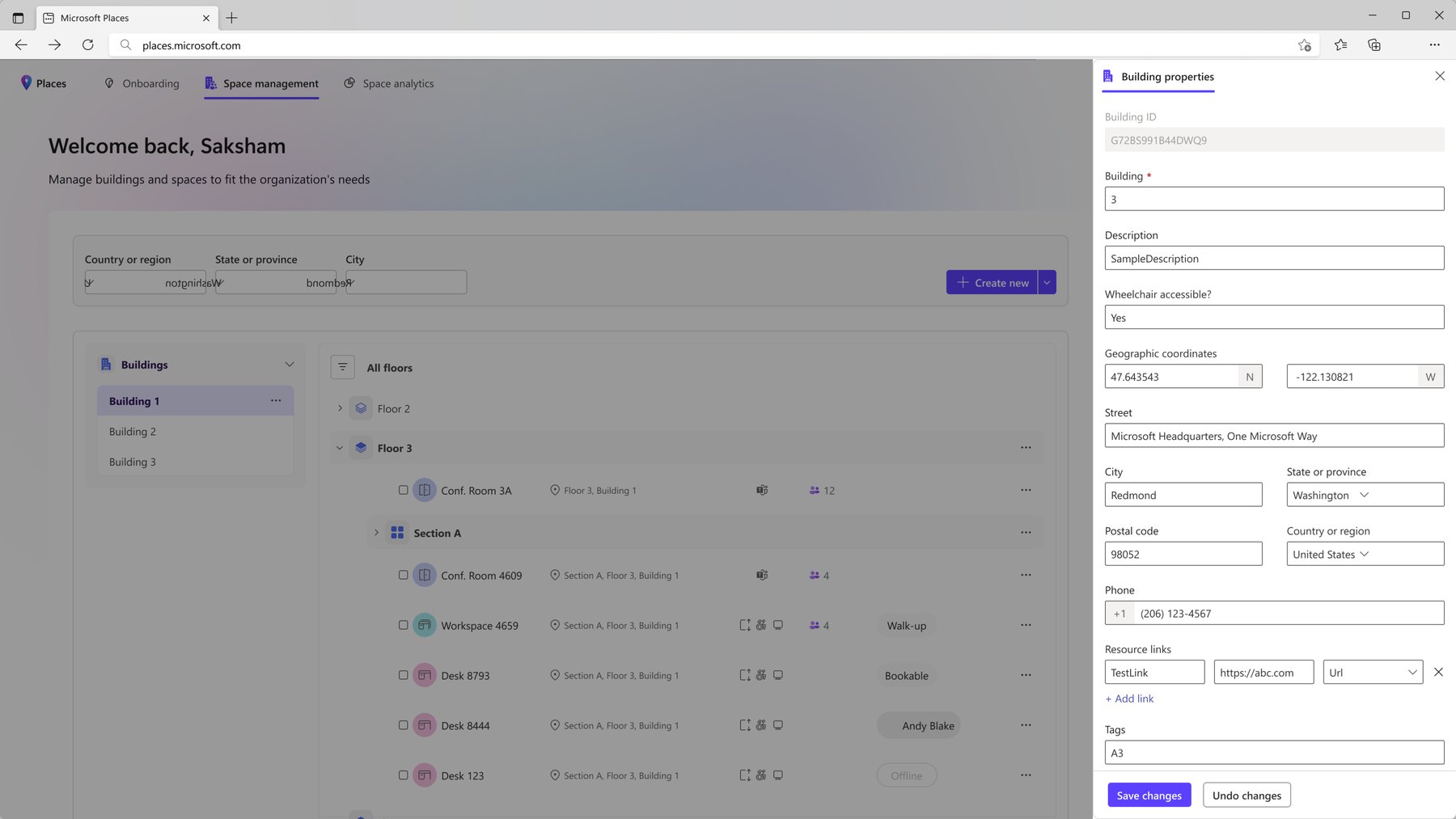
One tree for buildings, floors, sections, and spaces, with filters, search, quick details, and an “Unassigned” group that shows what still needs attention.
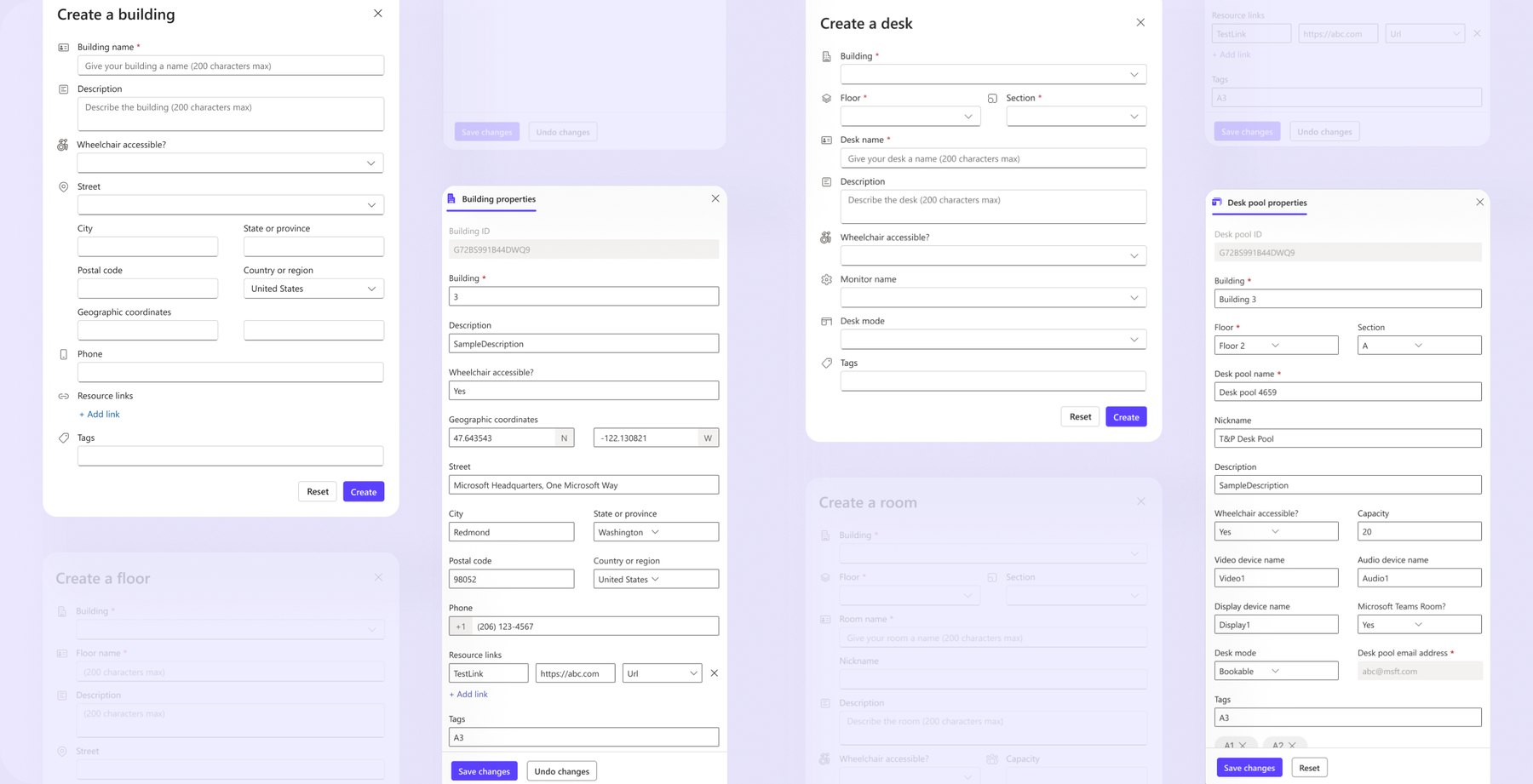
The full space lifecycle
Flows to create, edit, nest, and delete spaces, with safeguards so nothing gets lost by accident.
Editing many spaces at once
Select many rooms or desks and change availability, team assignment, or booking rules in one flow, and see clearly what each change will do.
What I learned
Admin tools should feel safe
The best admin UX lets someone click “save” without second-guessing it.
Start from the logic
Much of the job was turning vague requirements and complex rules into flows admins could follow.
Designing for Copilot
Working on the Copilot flows, I learned how to let AI suggest changes while the admin still makes the final call.